

How to Find Trending AI Videos and the Tools to Make Them
Find trending AI videos, explore prompts and source references, and compare tools to make your own version. Start with Raindance and Hotel Lobby examples.
Getting Started
To find a trending AI video you can learn from, start with a recognizable effect, open an example, read its guide and source references, then compare tools that support the same workflow. AI Trending Video connects these steps: discover an idea on the homepage, understand it on a video detail page, and choose where to make your version in the tool directory.
This guide follows that path using Raindance and Hotel Lobby. AI Trending Video is a discovery directory; generation happens on the third-party tool you choose.
1. What is an AI video trend, and why follow it?
An AI video trend is a repeatable creative format that people adapt with new subjects, images or scenes. It might turn two portraits into a duet, recast a music performance with pets, or use a recognizable camera movement and editing rhythm. The useful part is the pattern you can explain and adapt, rather than a hashtag alone.
Studying a trend helps you decide what to prepare before opening a generator: how many reference photos you need, what action matters, and whether the result needs music or further editing. For creators, it is a way to turn an interesting clip into a concrete production brief.
Treat directory entries as discovery references. A listing or placement is not proof of platform-wide popularity, and a paid ranking is not an independent measure of quality. Compare the linked source, the effect description and the tool's actual capabilities before choosing a workflow.
2. Search and filter videos on AI Trending Video
Begin on the homepage for video ideas and related tools, or open the AI video directory to browse the video collection.
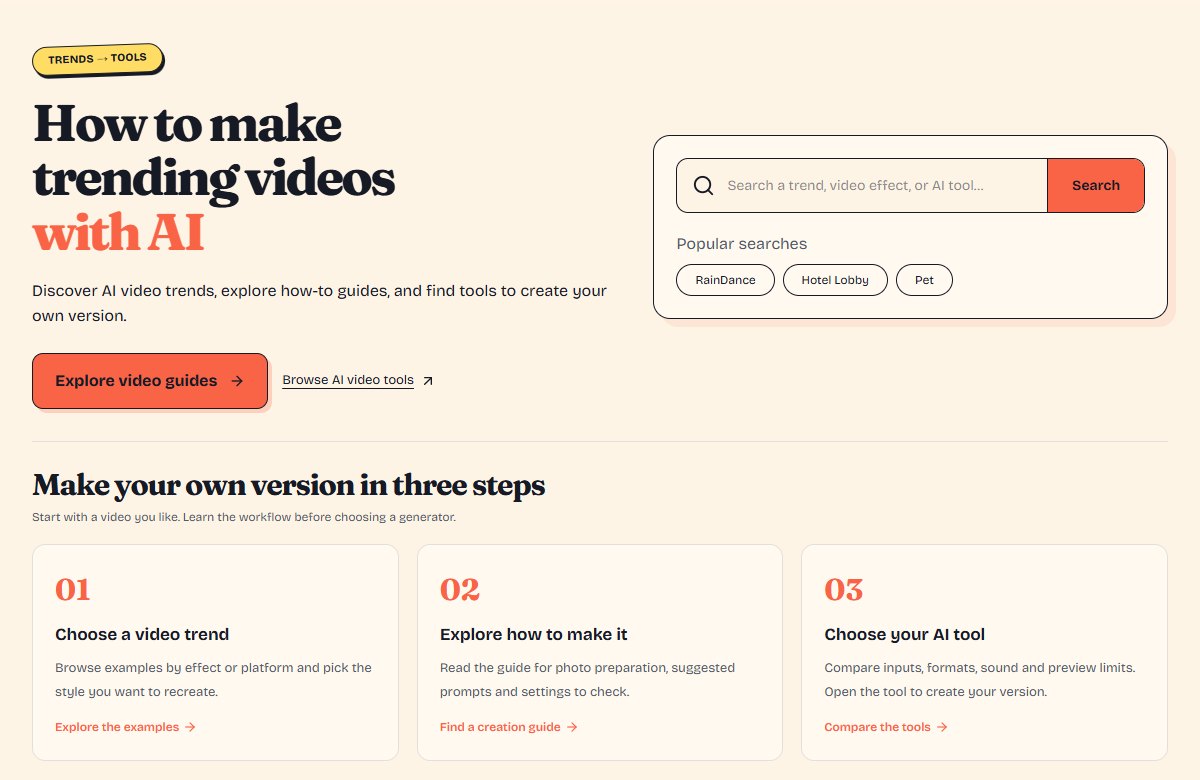
- Search by trend or effect. Try “Raindance” or “Hotel Lobby.” If a broad query returns unrelated results, use the specific trend name.
- Narrow by category. Choose a relevant category, such as music, to focus the collection.
- Filter by platform. Use the platform filter when you want examples from a particular source, such as TikTok or YouTube.
- Follow tags. On a detail page, select a tag to find entries sharing that topic. Tags describe a listing; they do not certify how a clip was made.
- Open a useful example. Choose a clip whose composition or action matches your idea, then read its detail page before picking a tool.
If a combination produces no results, clear the platform or category filter and search the trend name again. The directory is a collection of listed examples, not a complete index of every social platform.
3. Read the effect guide, prompt and source references
A video detail page connects the example to a practical next step. Start by watching the embedded clip where available, or use the original-source link to view it on its platform. Some platforms restrict embedded playback.
For curated examples such as the Raindance AI video tutorial, the detail page also includes an explanation, suggested steps, a sample prompt, FAQs and references. Coverage varies by entry; a newly listed video may not yet have a full guide.
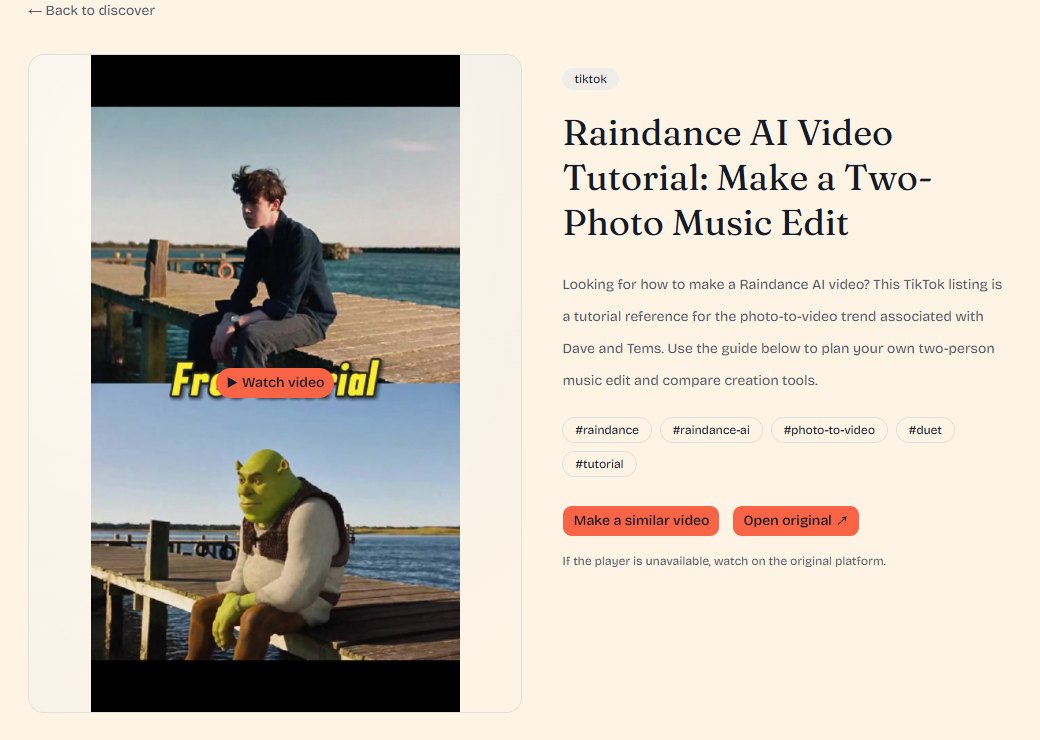
Read three things separately:
- Effect explanation: what makes the format recognizable, including subjects, setting, framing and motion.
- Sample prompt: an editorial starting point for your own version. It is not presented as the uploader's original prompt or a guarantee of the same result.
- Source references: the original post and supporting links that help distinguish a tutorial, a fan remake and the source performance.
When adapting a prompt, keep the subject roles clear. Specify who appears, where they are, what they do and how the camera frames them. Test a short clip first so you can inspect identities, hands and motion before attempting a longer edit.
4. Compare related tools and continue on the provider's website
For a closer look at matching inputs and outputs to an effect, read How to Choose the Right AI Video Generator for a Trending Effect.
On a video detail page, use the recreation-tools section when recommendations are available. You can also browse the AI video tool directory directly. Open a tool's detail page to understand its intended workflow before selecting Start creating to visit the external provider.
Check the practical requirements:
- Inputs: one image, two portraits, text, or a reference clip.
- Output: duration, resolution, aspect ratio and whether audio is included.
- Control: a prepared sequence, prompt-led generation, or reference-based movement.
- Cost: what the preview includes, whether full exports are paid, and any limits or watermarks.
Related tools are options for making your own version; their presence does not establish that the source creator used them. Provider features and prices can change, so confirm the current terms on the external website before generating or paying.
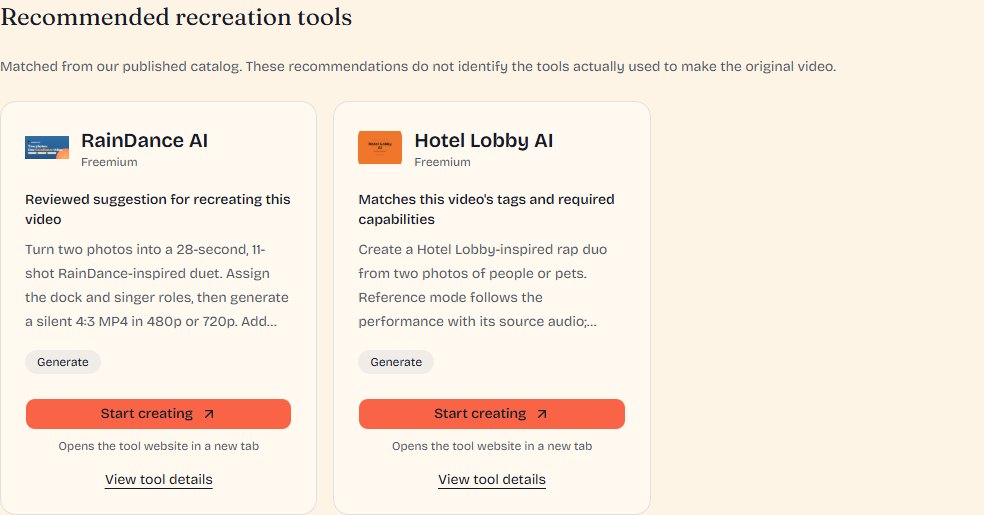
5. Example: discover and plan a Raindance video
Open the Raindance tutorial and prompt guide. Its focus is a two-person, music-video-inspired coastal duet: a wooden pier, beach scenes and distinct performance roles. The trend name alone does not mean you should add rain effects.
Use the guide to plan one clear portrait per participant and decide who waits and who performs. Then compare the RainDance AI tool guide with the workflow you need. A prepared sequence may suit a defined duet; a more open-ended image-to-video workflow may need separate shots and editing.
For pacing and transitions, also explore the Raindance trend edit reference. Editing an existing clip and generating new motion are different tasks, even when both use the same trend name.
Your path: homepage → Raindance video detail → tool guide → the provider's website. Review the provider's current photo and audio instructions before starting.
6. Example: separate the Hotel Lobby source from AI remakes
Hotel Lobby illustrates why source context matters. Start with the Hotel Lobby original-source reference, then compare the Hotel Lobby AI meme and prompt guide. The original performance reference and an AI-inspired fan edit serve different purposes.
The recognizable format is a duo performance with a hanging microphone and a simple stage. In your own brief, choose two subjects, keep their left and right positions consistent, and decide whether you need reference-based movement or a freer interpretation.
Next, open the Hotel Lobby AI tool guide. The provider's website describes a two-photo workflow for people or pets, with reference and freestyle modes. Confirm the selected mode's audio and export options there; a scene prompt alone does not guarantee exact lip sync.
Your path: source reference → remake guide → tool detail → external creation.
Start with one effect you want to understand
You do not need to choose a generator first. Find an example, identify what makes it work, read the prompt and sources where provided, then choose a tool that fits your inputs and desired output.
Explore trending AI video ideas, browse the video directory, or compare the tools for your next video.