What is the Raindance AI video trend?
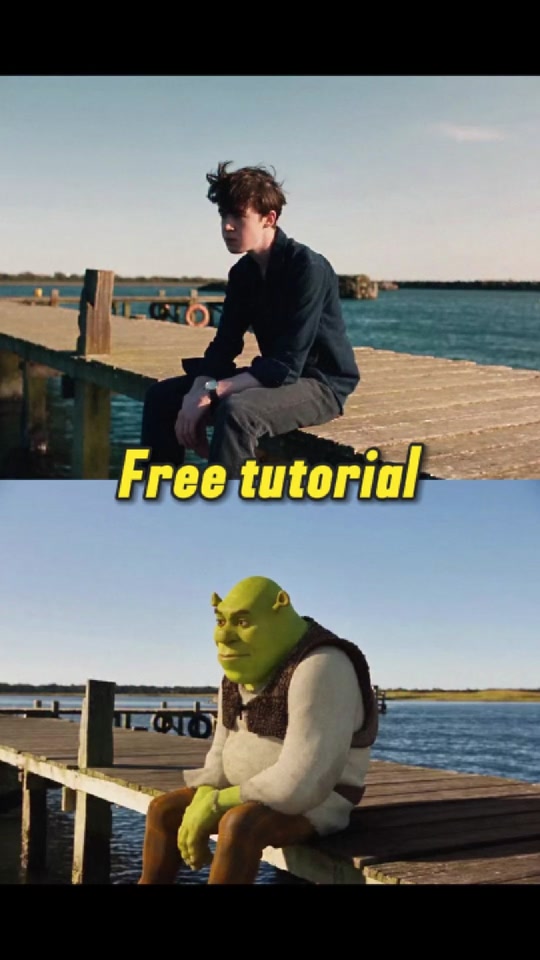
The recognizable format combines a wooden dock, beach scenes and a two-person performance. The AI part is the visual remake: creators cast new subjects in a music-video-inspired scene. The name does not mean that every version shows rain or a rain dance.
This page focuses on the creation workflow. Watch the linked tutorial for its particular approach; the steps here are an independent starting point rather than a verified account of the uploader’s software or settings.
Choose a Raindance template or write a prompt?
A prepared template is useful when you want a defined shot sequence. A prompt-led image-to-video tool gives you more freedom over the location and action, but you may need separate generations for close-ups and wide shots. Check whether the tool accepts two identity references and whether it uses a motion reference.
Decide which person waits on the dock and which performs before uploading. Keep those roles consistent across cuts. A short test helps you check facial identity before attempting a longer sequence.
How to make a Raindance AI video from two photos
- Prepare one clear, evenly lit portrait of each consenting participant. Keep both faces unobstructed.
- Choose a two-person template or an image-to-video tool from the recreation tools below. Confirm its input and output requirements.
- Assign the waiting and singing roles, then generate a short test. Review face consistency, hands and transitions.
- Edit the accepted shots together. Check the destination platform’s available music and AI disclosure options before posting.
Sample prompt for your own version
An editorial starting point; adapt it to your tool and references.
Create a warm coastal duet using the two supplied portraits. Person A waits on a wooden pier; person B approaches for a gentle serenade. Keep each identity distinct through a wide establishing shot and a close-up. Soft evening light, calm water, natural expressions. Do not add text or extra people.Compare recreation tools
Frequently asked questions
Do I need two photos for the Raindance AI trend?
Two-person workflows commonly use one photo per participant. Some tools accept a shared photo or offer a solo mode; follow the selected tool’s instructions.
Is a Raindance tutorial the same as a free video generator?
No. Watching a tutorial does not establish that the suggested generator is free. Check preview limits, paid generation costs and watermark rules on the tool itself.
Will a Raindance AI prompt reproduce the exact music video?
A text prompt alone does not control every cut or gesture. Use it to describe your own scene, and check the tool’s reference features if timing matters.
References and further reading
Background references for this guide; not confirmation that these services made the embedded clip.
RainDance AI: two-photo workflow and trend overview ↗