What makes a Hotel Lobby meme recognizable?
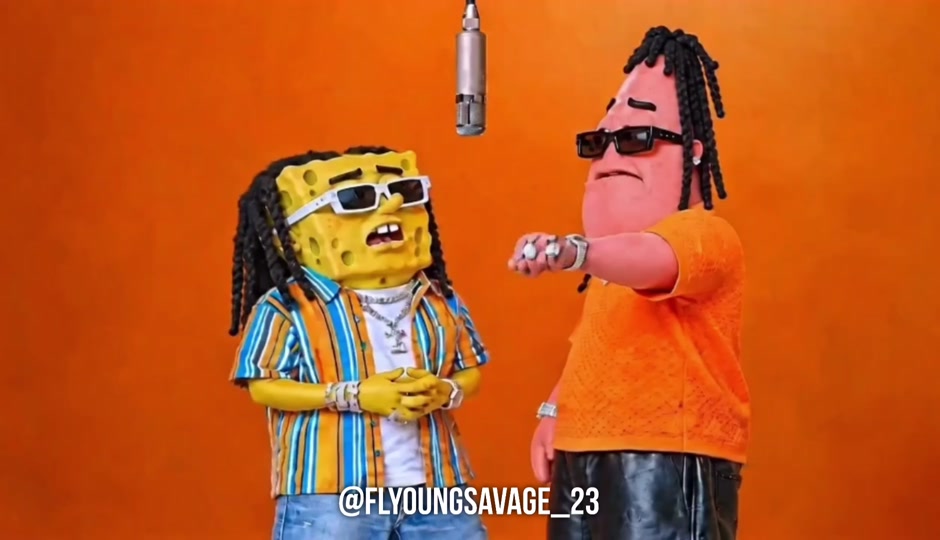
The familiar visual vocabulary is a minimal orange studio, two performers and a shared microphone. Changing the cast while retaining that simple arrangement is a common way to make a playful reinterpretation. The title refers to the music-performance trend, rather than a hotel interior tour.
This page focuses on adapting a duo idea. Its tags describe how the post was submitted; they are not a frame-by-frame verification of its characters or a claim that a particular generator produced it.
Plan two distinct characters in one scene
Give the participants different visual cues, such as clothing color or silhouette. Define the left and right roles explicitly when the camera stays fixed. Keep each person’s movements modest at first so you can judge whether faces and outfits remain stable.
For a pet version, use a clear image with the face or muzzle visible and describe a restrained pose. Choose references you can use. If the preview mixes the subjects, simplify the prompt and reduce competing instructions before trying more elaborate movement.
How to make a Hotel Lobby style meme video
- Pick a duo concept: two friends, a couple, pets or your own original characters.
- Prepare the references required by your chosen tool. Keep the left and right identities clearly assigned.
- Choose an orange studio template or use the sample prompt below for an original scene. Generate a short test.
- Check both subjects, hands or paws, and microphone placement. Review audio separately before sharing your edit.
Sample prompt for your own version
An editorial starting point; adapt it to your tool and references.
Animate the two supplied original characters as a playful rap duo. Character A stays on the left and character B on the right in a simple orange studio, with one microphone suspended between them. They exchange small head nods and restrained gestures. Fixed camera, consistent outfits, distinct identities, no extra characters or text.Compare recreation tools
Frequently asked questions
Is the Hotel Lobby AI filter a live camera effect?
The term can refer to a photo-to-video workflow rather than a live filter. Check whether the tool asks for uploaded portraits, a template selection or a motion reference.
Can I make a Hotel Lobby video with two pets?
Some tools offer pet examples, but support varies. Check actual outputs and accepted references before paying, and begin with simple motion so both animals remain recognizable.
Will this prompt create exact lip sync to Hotel Lobby?
No. A scene prompt does not guarantee synchronized vocals. Check whether the chosen tool supports audio or lip sync and inspect its output before posting.
References and further reading
Background references for this guide; not confirmation that these services made the embedded clip.
Hotel Lobby Video: duo and pet examples ↗